Wireless Ultrasonic Water Tank Level Sensor
Wireless Ultrasonic Water Tank Level Sensor
KD51.000
Oraxel Solutions Wireless Ultrasonic Water Tank Level Sensor
1. Introduction
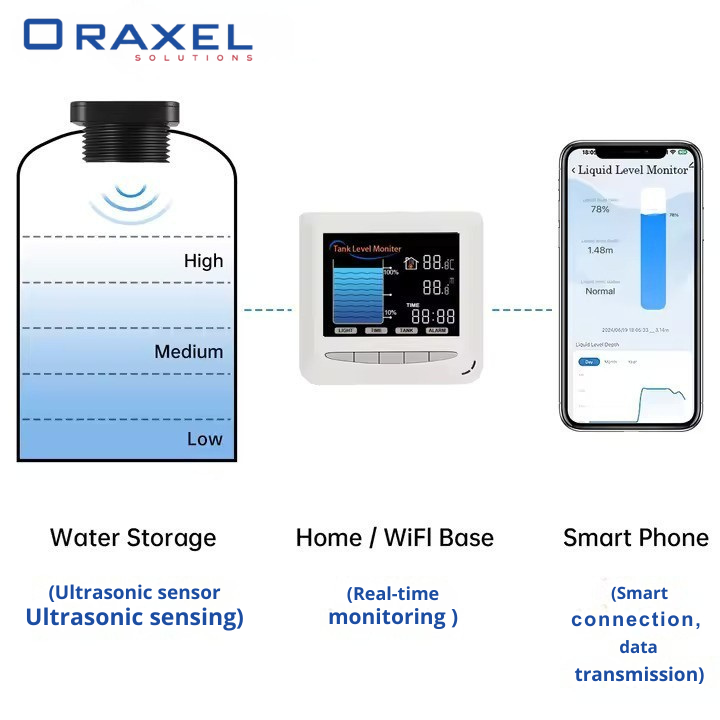
The Oraxel Solution’s Wireless Ultrasonic Water Tank Level Sensor kit designed for highly accurate, remote monitoring of liquid levels in various containment systems. Utilizing professional-grade sensor probes, this system tracks liquid depth and transmits data wirelessly to a designated indoor display gateway. It is perfect for managing overhead water tanks, underground sumps, diesel/oil storage tanks, and industrial liquid containers in both residential and harsh commercial environments.
2. Package Contents
Please verify that all the following components are included in your package:
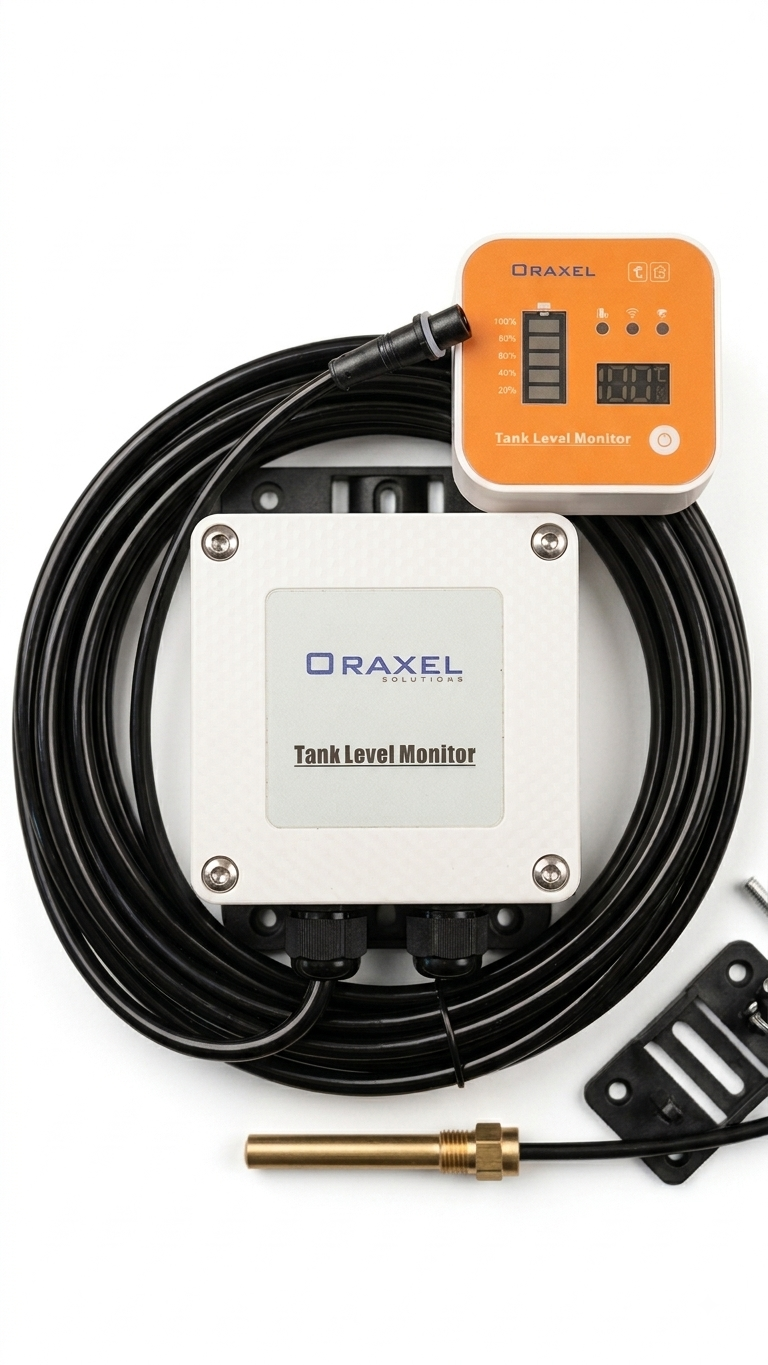
Main Transmitter Box: Weatherproof outdoor unit with long-range wiring harness.
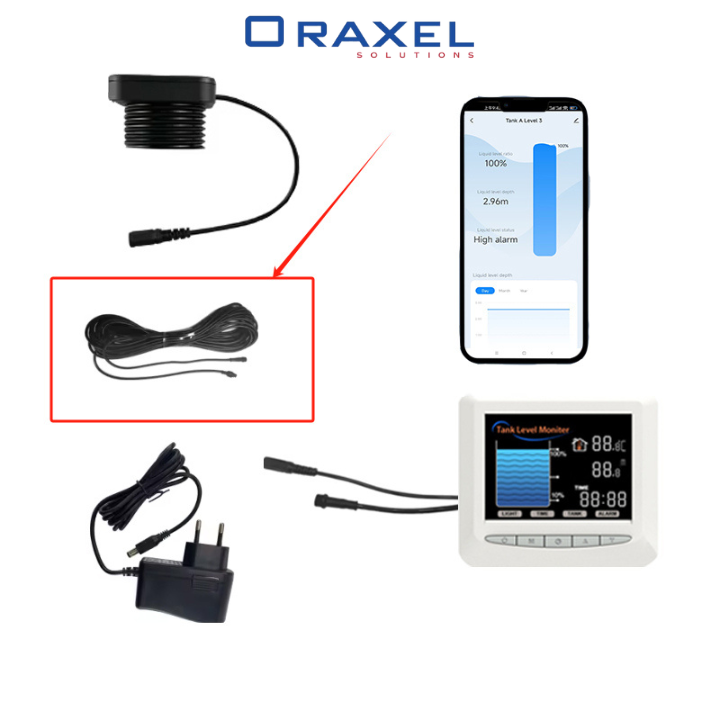
Indoor Gateway Unit: Receiver monitor featuring an LED digital display, battery capacity indicators, and status lights.
Sensor Probe: High-accuracy immersion/threaded probe (brass fitting).
Mounting Equipment: Mounting bracket, screws, and accessories.
3. Product Features
Real-Time Indoor Display: Track exact parameters without opening your tanks, featuring a distinct, easy-to-read LED digital display panel on the receiver.
Visual Level Indicators: 5-segment graphic battery/capacity bars showing increments from 20% to 100% capacity at a glance.
Smart Network Alerts: Integrates seamless wireless connectivity to provide smart notifications and ecosystem compatibility (indicated by the top function icons).
Robust & Weatherproof Design: The outdoor transmitter unit is tightly sealed with a heavy-duty industrial casing and specialized cable glands to withstand severe outdoor elements.
Comprehensive Liquid Compatibility: Equipped with a premium metal probe suitable for water, oils, and other non-corrosive liquids.
Simple Operation: Features a single dedicated manual sync/power button directly on the front panel of the display unit.
4. Setup Instructions
4.1 Physical Installation
1. Mount the Sensor Probe: Position the metal probe securely inside the tank at the designated depth. Ensure the cable is clear of any pumps or internal obstructions.
2. Install the Transmitter Box: Mount the large white weatherproof box on a wall or structure near the top of the tank using the integrated mounting holes. Secure the cable connections via the watertight bottom glands.
3. Position the Gateway Unit: Place the orange-faced indoor monitor in a convenient viewing location inside your home or office within reliable range of the outdoor transmitter.
4.2 App Installation and Configuration
The Oraxel Monitor operates via smart network protocols (Tuya / Smart Life compatible). Follow these steps to pair your device:
1. Download the App: Search for “Smart Life” or “Tuya Smart” in your smartphone’s app store (iOS or Google Play) and download the application.
2. Enter Pairing Mode: Power on the indoor gateway unit. Press and hold the sync button (located on the bottom right of the orange panel) until the wireless indicator light starts flashing.
3. Add Device: Open the app, tap the + icon (Add Device), choose “Sensors” or let the app auto-discover the blinking gateway.
4. Connect to Wi-Fi: Enter your 2.4G Wi-Fi network credentials. Follow the on-screen steps to complete the pairing sequence.
5. Operating Instructions
5.1 Reading the Display Panel
Digital LED Panel: Shows the active level measurements, percentage capacity, or environmental temperatures.
Capacity Bar: Instantly indicates how full the tank is (20%, 40%, 60%, 80%, 100%).
Status Indicator LEDs: Illuminate to show signal strength, active connection status, and low/full alarm thresholds.
5.2 Alarm Settings via App
1. Navigate to your Oraxel device inside the smart application.
2. Go to Settings and choose Alarm Thresholds
3. Configure your customized low-level and high-level limits (e.g., alert when the tank drops below 20% or fills past 95%).
4. Ensure push notifications are turned on within your smartphone settings to receive real-time warnings.
6. Maintenance
Cable Inspection: Periodically inspect the outdoor wiring harness to ensure no degradation from extreme sunlight or pests.
Transmitter Seals: Ensure the four front screws of the weatherproof box remain tightly secured to maintain its moisture-resistant seal.
Probe Cleaning: If monitoring hard water or oils, periodically clean the metal sensor probe tip to prevent residue buildup which could impact reading accuracy.
7. Troubleshooting
No Signal / Display Not Updating:
Check if the outdoor transmitter box has sufficient battery power or connection stability.
Shorten the distance or remove heavy obstructions between the outdoor transmitter box and the indoor display gateway.
Press the sync button on the gateway to force a manual refresh.
Inaccurate Level Readings:
Verify the probe is hanging vertically and has not become tangled or stuck against the side wall of the tank.
Clean any mineral scale or debris off the immersion probe.
App Status Disconnected:
Ensure your home Wi-Fi is broadcasting on a 2.4GHz frequency band (5GHz is not supported).
Move the indoor gateway closer to your Wi-Fi router.
72 in stock